Trailers you never chose
Autoplaying previews fill the home screen, horror movies included, the moment your kids pick up the remote.
Beta now open in West Michigan
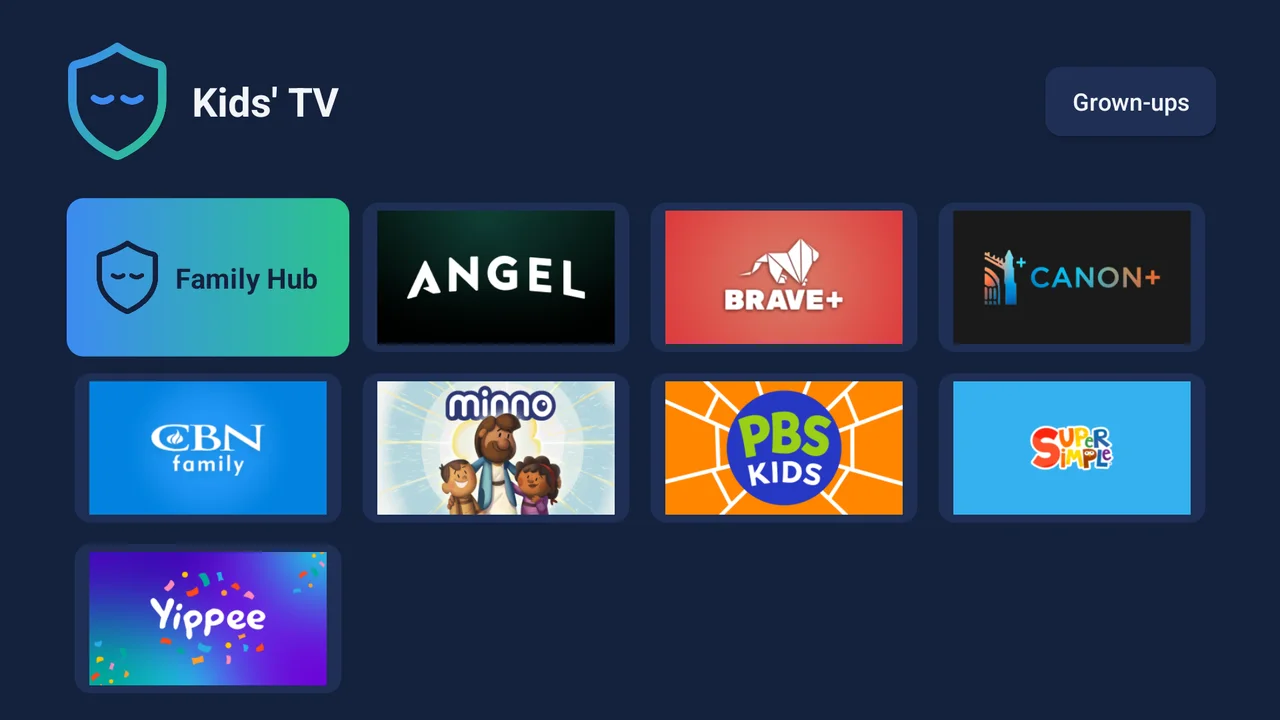
Kinwell arrives set up for your family. Kids get a calm home screen with only the apps you choose. Grown-ups unlock everything with a PIN. No horror trailers, no home-screen ads, no tracking.
The home screen works for advertisers, not for your family.
Autoplaying previews fill the home screen, horror movies included, the moment your kids pick up the remote.
Many TVs watch what's on screen and report it back to sell ads. Your living room becomes a data source.
Parental settings are buried, set one app at a time, and easy for a curious kid to get around.
A real person sets up your TV. You plug it in, and it's ready for your family.
Order the TCL model we recommend, in the size you want, and have it delivered to us. Already own one of our supported TCL models? Bring it by.
We reset the TV, install and lock down Kinwell, sign in to your apps and set your PIN. Drop off and pick up, or we deliver in West Michigan.
The TV opens to a calm home screen with only the apps you chose. Your PIN unlocks everything else. Add Kinwell Plus for the parent app, Family Hub and filtering.
Everyone's favorite
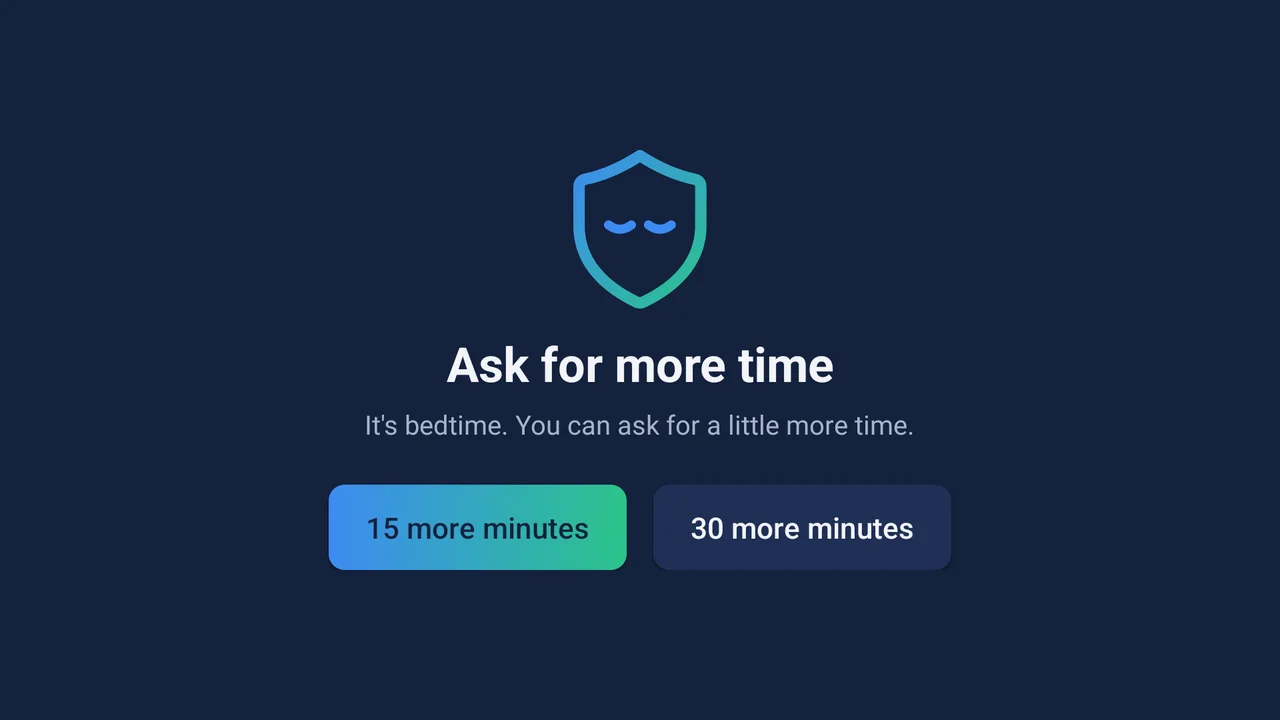
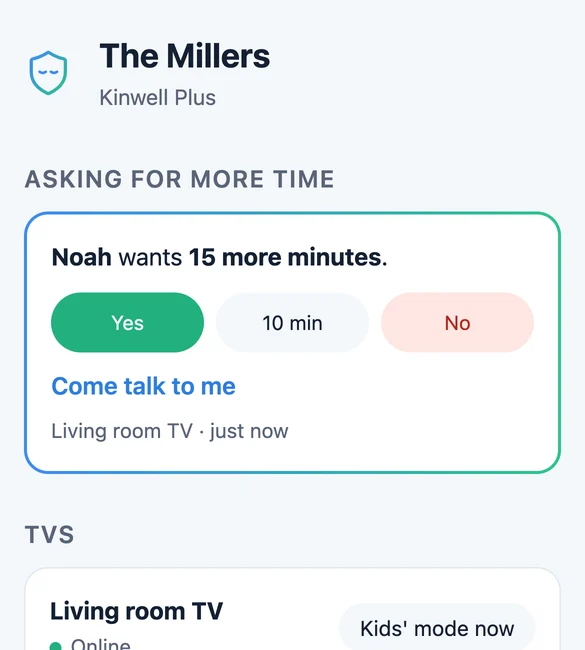
When time's up, kids can ask for more right from the TV. You get a notification on your phone and answer with a tap: yes, a little less, or not today. The TV gets your answer instantly.
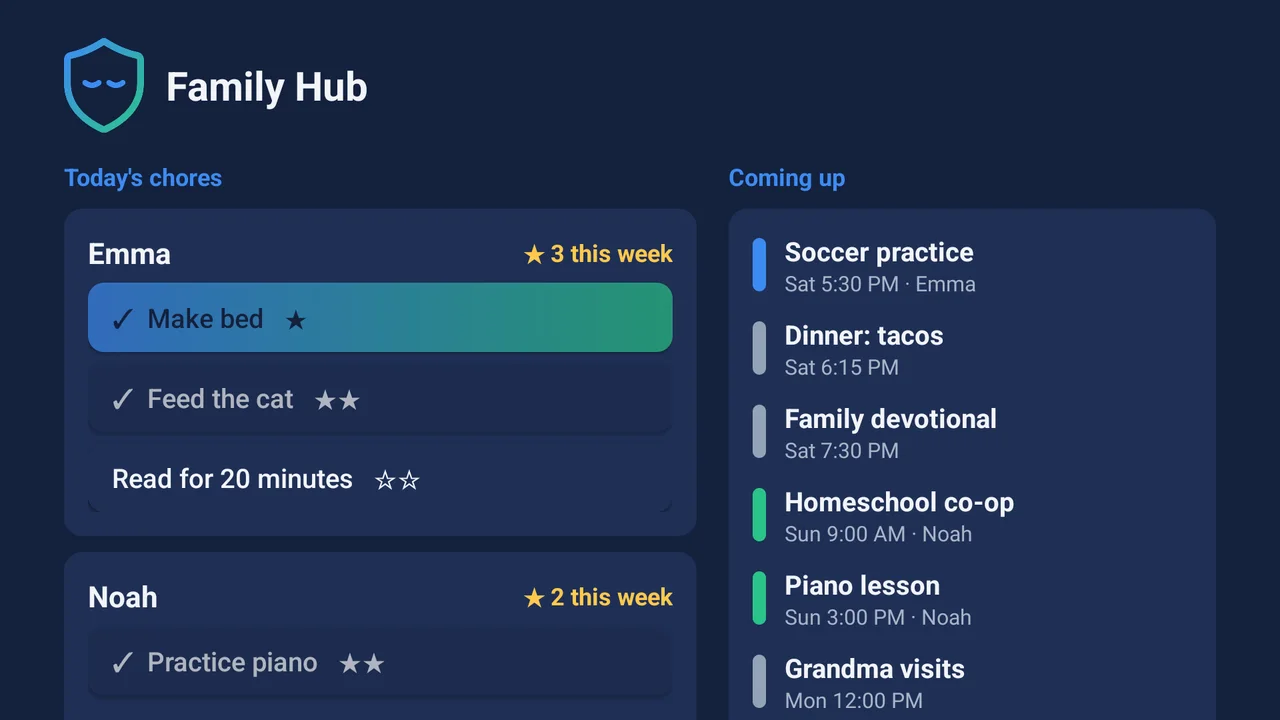
Family Hub
When nobody's watching, Kinwell becomes a family command center. Kids see their chores and earn stars. Everyone sees what's next on the family calendar.
Start with a hand-picked set of values-aligned apps, then add or remove any of them from the parent app.
Set screen time per child, with more on weekends. The TV winds down at bedtime and stays locked until morning.
Each kid gets their own face, apps and time balance, so siblings don't spend each other's minutes.
Change the PIN, pick apps, approve requests and switch the TV to kids' mode, all from your phone.
Upload family photos for the screensaver, or choose a verse of the day or calm nature scenes.
See screen time per child, the apps they loved, chores done and what Kinwell blocked, every week.
Kinwell blocks the trackers and viewing-data reporting built into today's TVs, at the network level, for every app. We don't sell data, we don't show ads, and your photos and calendar stay private to your family.
Your TV is yours. Kids' mode, the PIN and app blocking keep working even if you never subscribe.
$200 one time, per TV
The TV itself is bought separately. We'll recommend the exact model.
Free during the beta
Beta families get founding-family pricing, locked in, when the beta ends.
We're starting with a small beta in West Michigan, so we can set up every TV in person and learn from each family. Outside the area? Apply anyway, and we'll tell you when we expand.
Kinwell runs on specific TCL Google TV models we've tested. We'll recommend one in the size you want. If you already own a TCL Google TV, tell us the model and we'll check.
We factory-reset the TV, install and lock down Kinwell, sign in to the apps you use, arrange the kids' home screen and set your PIN. It includes everything Kinwell needs to protect your TV for as long as you own it.
Yes. Grown-up mode opens every app on the TV. Enter your PIN, and Kinwell switches back to kids' mode when the TV sleeps or after a time you choose.
Your TV stays protected. Kids' mode, the PIN, app blocking and bedtime keep working. You'd lose the extras that run in the cloud, like the parent app, Family Hub and filtering.
Kinwell protects the whole TV, not one app at a time. Settings, app stores and grown-up apps need the PIN, and wrong guesses lock the PIN pad for longer each time.
You choose. Our starter set includes values-aligned apps like Angel, Minno, Yippee, Brave+, Canon+, CBN Family and PBS Kids, and you can change it any time.
No. Everything important works on the TV with your PIN. The parent app just makes it easier.
Opening after the beta
Families helping families. Kinwell Neighbors set up TVs for families near them, or receive a family's TV delivery, and earn part of each setup fee.
We're setting up TVs for a small group of local families first. Apply below, and we'll reach out to schedule your setup.